
Tasty Chef Support and Community
Mail the studio, use the Steam hub, and know what this wiki cannot fix.
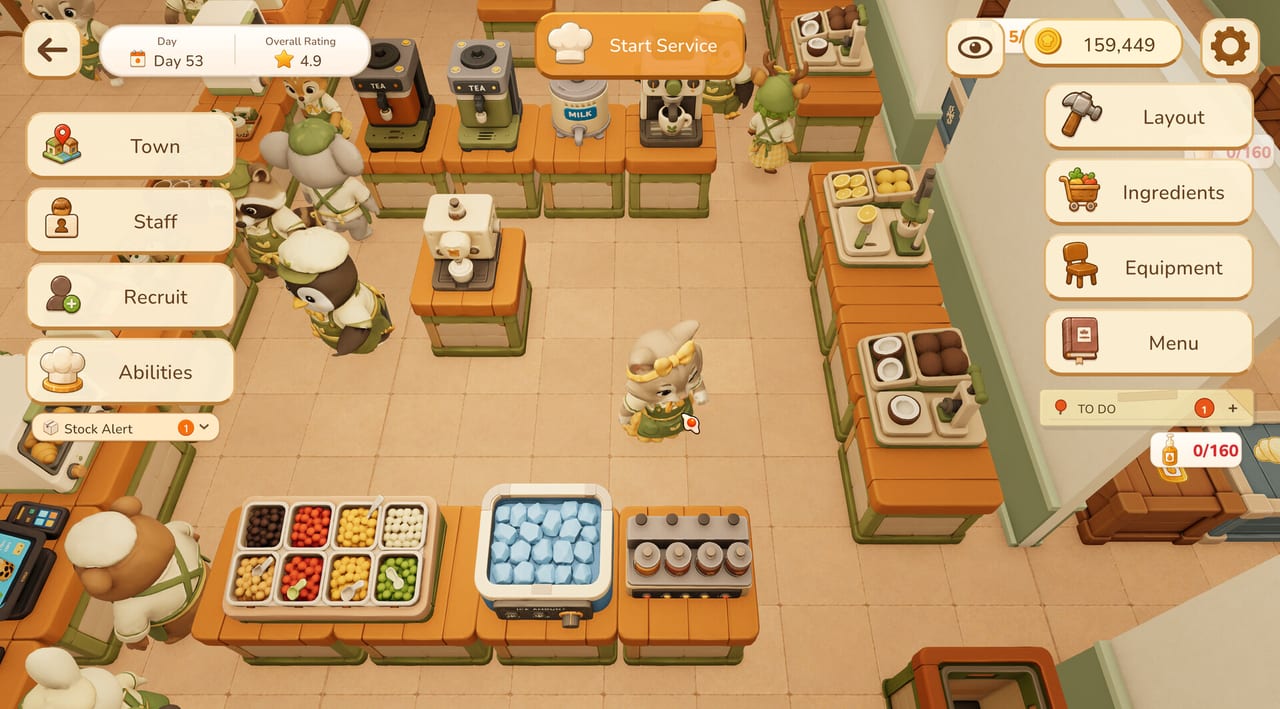
When Tasty Chef misbehaves, talk to the people who can patch it. This wiki can explain a milk tea corridor. It cannot push a build. Official contact for Xpercent Games is contact@onepercentstudio.games. Player-to-player talk lives on the Steam community hub. Store installs live on the Steam page. The parent index is the links hub. The one-page game map is Tasty Chef overview.
This page is a support map: what to send, where to send it, what belongs on Steam discussions, and where a fan wiki must stop. It is not a live ticket tracker. We do not have a public Trello from the developer to embed. We will add one if they publish it.
Email the studio
Use contact@onepercentstudio.games for:
- Demo or playtest crashes, hard locks, and boots that never reach the hub.
- Account or Steam-key confusion after a playtest accept.
- Accessibility bugs (camera, volume, save) that the store tags claim to support.
- Store-page fact errors you want the developer to see (they still have to change Steam; we can only change this wiki).
Do not use that inbox for “when is September 2026 exactly” unless Steam already shows a day and the widget is broken. Date policy lives on release date. Do not mail them a demand to add sushi to the demo. Demo limits are documented on demo notes.
Mail template (copy and fill)
- What I installed: demo 5067140 / playtest / I only have the store page open.
- Windows version and whether the PC clears system requirements min or rec.
- GPU and driver date.
- What I was doing: idle hub, Build Mode, Start Service, Take over, End Shift, Town map.
- What I expected: a cup to finish, a grid to snap, a shop to open.
- What happened: crash, stuck ticket, missing shop, input ignored.
- Whether Grid (G) and Equipment Info (H) were on.
- A screenshot from my PC, not a store GIF.
That list is enough. A ten-page theory of staff AI is not. If you are reporting a missing bakery, say the map still shows under construction so they know you understand the slice.
Steam hub, not a second studio
The community hub is useful for:
- “Is anyone else hitching on Stock Alert with a GTX 660?”
- Screenshot tours of milk tea corridors.
- Co-op etiquette that is not in a manual yet.
It is a poor place for:
- Pasting playtest secrets as if they were patch notes.
- Fake keys.
- Review-bombing a Coming Soon page because sushi is still a preview.
If a hub thread contradicts Steam’s own spec table, trust Steam. If it contradicts this wiki, tell us — we will grep guides and tools and fix the JSON. We will not “correct” Steam from a forum anecdote.
What this fan wiki will do
- Quote Steam app IDs, the September 2026 window, demo limits, language tables, and the AI disclosure.
- Keep internal links with trailing slashes to pages that exist.
- Update demo notes when the slice changes.
- Stay silent on price until Steam lists one.
What this fan wiki will not do
- File a crash dump for you.
- Reset a playtest accept.
- Invent a Discord, Twitter, or Trello that the developer has not published.
- List script injectors. This is a Steam kitchen sim, not a Roblox executor scene.
- Promise in-game Spanish for the full game because the demo table lists Spanish. Full game table currently lists twelve languages; see Steam.
- Claim Family Sharing works on an unreleased title. Steam lists the category; sharing does not apply yet.
- Pretend we are Xpercent Games. We are not. The overview on wiki is a fan map.
Community manners for co-op bugs
If a friend desyncs, collect both Steam names, who hosted, and whether you shared a Matcha Tea Brewer like co-op told you not to. If a solo player thinks staff are “broken,” include duty order (Take Orders / Make & Serve / Restock) from hiring staff. Many “AI bugs” are a restocker walking through a bad aisle — rebuild with the kitchen flow planner before you mail the studio a pathfinding essay.
When to skip mail and just play
- You have not pressed Practice on Milk Tea. Open how to play.
- You enabled four drinks and Max 3 toppings on day one. Open the menu planner.
- You want a date. Open release date, then Steam.
- You want the install URL. Open Steam.
Mail is for things a guide cannot fix. Guides are for things gold and placement can fix. If you only remember one address from this page, remember contact@onepercentstudio.games and the hub URL. If you only remember one warning, remember that this wiki cannot patch Tasty Chef — it can only point at the people who can.
Frequently Asked Questions
Quick answers for milk tea shifts, staff, and the September 2026 launch.
What is the Tasty Chef support email?
contact@onepercentstudio.games. Include app ID (5019920 vs 5067140), Windows version, and what you were doing in the shop.
Where is the Steam community hub?
https://steamcommunity.com/app/5019920. Use it for player talk, not as a second studio inbox.
Can this wiki fix my crash?
No. This is a fan wiki. Mail the studio or post on the Steam hub with the template on this page.
Is there an official Discord or Trello?
Not one this wiki can verify. We will add a row here if Xpercent Games publishes one. Steam remains the homepage.