
Tasty Chef Comfort and Input Notes
Steam’s accessibility tags, pad caveats, and which language table you are reading.
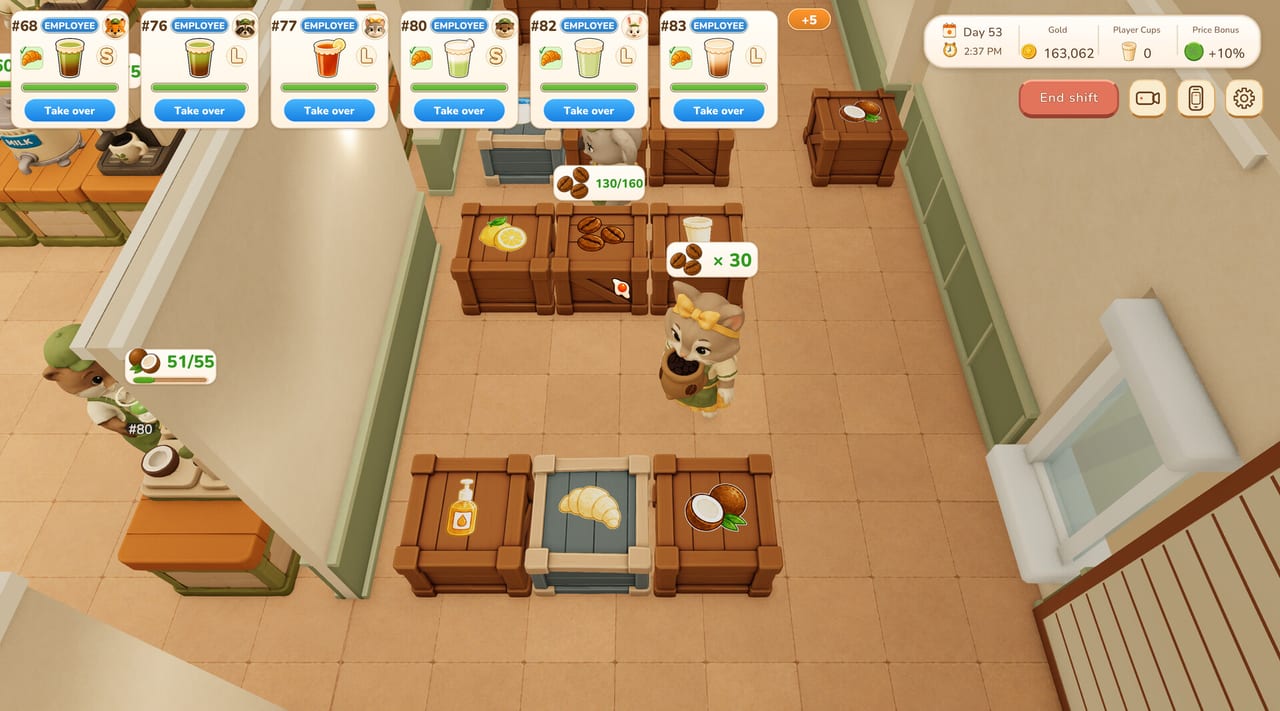
Tasty Chef is a cozy kitchen sim, not a reflex exam. Steam still lists hardware and input tags you should read before a long milk tea night. This page is the comfort desk: Camera Comfort, Custom Volume Controls, Adjustable Difficulty, Save Anytime, partial controller support, and the two language tables (full game versus demo). Hardware numbers stay on system requirements. Letter keys for Build Mode stay on controls.
The full Windows game (app 5019920) is upcoming with a planned September 2026 window. Steam published the free demo (app 5067140) on 5 September 2026. Comfort tags apply to the slice you can install today. They do not change Coming Soon into a purchase button.
Accessibility tags on the store
Steam lists these quality-of-life / accessibility categories on the Tasty Chef pages:
- Camera Comfort — camera behaviour you can ease. Use it if the 2.5D view of 3D kitchens makes you queasy during a rush.
- Custom Volume Controls — mix music and effects. Generative AI was used in development for art and music, then reviewed by the developer. Gameplay does not generate AI audio. You can still turn the mix down.
- Adjustable Difficulty — a comfort lever, not a hidden New Game Plus. If tickets feel cruel while you learn brew order, ease difficulty before you fire the whole Shop Team.
- Save Anytime — you are not locked into a doomed shift. End Shift still exists as the remodel button; Save Anytime means you can stop without treating the kitchen like a roguelike.
This wiki will not invent sliders the store has not named. If a setting is in your build, use it. If a creator claims a secret accessibility menu we have not seen on Steam, ignore the claim until a screenshot exists.
Partial controller support
Steam lists Partial Controller Support and Xbox controllers as a category. That is honest labelling.
- A pad can move the chef and interact with tickets, cups, and machines during service.
- Build Mode still wants a mouse. Grid (G) and Equipment Info (H) are screenshot-confirmed letter keys. Dragging a Cup Rack onto a grid with a stick is how you bury the ice chest.
- Co-op friends on pads should take short loops: ice, or toppings, not the whole brew sentence. Station splits live on co-op.
- Steam Deck compatibility is Unknown. Do not buy a handheld for this title on the strength of a blank Deck tab. Recheck Steam before a trip.
If a pad drift makes Take over fire on the wrong ticket, plug in a mouse for the next shift. Comfort is finishing cups, not proving a bind map.
Languages: two Steam tables, one wiki
Keep these three lists separate.
Full game store table (12): English, Simplified Chinese, French, Italian, German, Indonesian, Japanese, Korean, Portuguese (Portugal), Russian, Traditional Chinese, Vietnamese.
Demo listing (14): the twelve above plus Spanish (Spain), Portuguese (Brazil), and Thai. Demo copy can move; recheck the demo app page.
This wiki: English, French, German, Spanish. Wiki Spanish is not a promise that the boxed full game already includes Spanish. Say the demo listing includes Spanish; the full game table currently lists twelve.
Interface and subtitles are listed. Full audio is not claimed for every language on the tables we copied. If you need a language for a friend, test it in the demo, then wishlist 5019920.
Network, engine, and why a pad hitch is not “the game”
SteamDB detects Unity Engine, Epic Online Services, Unity Multiplayer Services, SteamworksNET, and related SDKs on the demo. The Windows depot is about 1.10 GiB on disk (about 959 MB download). The launch executable is TastyChef.exe in a folder named Tasty Chef Demo. Cross-Platform Multiplayer is a demo store tag. Treat it as Steam’s label, not a guarantee that every device is verified.
If the HUD hitching on Stock Alert, drop overlay recording before you blame ingredients and storage. If a friend cannot join, check support and contact@onepercentstudio.games with app ID 5067140 versus playtest versus 5019920. Do not paste a “fix script.” This is not Roblox.
How to use these tags in a real evening
- Confirm 64-bit Windows and the spec floor on system requirements.
- Set volume and camera before Start Service, not during a 4.9-to-collapse rush.
- If you are teaching a friend, ease difficulty and give them ice and toppings first.
- Save or End Shift before Style Boutique or Town Bank errands — style boutique is not a station.
- Keep a mouse on the desk even if you walk with a pad.
What this page will not claim
It will not mark Steam Deck as verified. It will not list a full controller glyph map. It will not promise in-game Spanish for the twelve-language full-game table. It will not say the full product can be purchased. Store snapshot and trailer hosting live on store status. Demo coverage lives on demo notes. Return to the tools hub when you are ready to plan a menu instead of a camera.
A cozy sim should let you finish a cup. Use the tags Steam already printed.
Frequently Asked Questions
Quick answers for milk tea shifts, staff, and the September 2026 launch.
Does Tasty Chef have full controller support?
No. Steam lists Partial Controller Support. Keep a mouse for Build Mode. G and H are confirmed letter keys.
Is Tasty Chef verified on Steam Deck?
Steam Deck compatibility is Unknown. Recheck Steam’s Deck tab before a handheld session.
Does the full game include Spanish?
The demo listing includes Spanish. The full game store table currently lists twelve languages and does not list Spanish. Recheck Steam.
What does Save Anytime mean here?
Steam lists Save Anytime as a comfort tag. You can stop a session without treating the shop like a roguelike. End Shift is still how you remodel.