Tasty Chef Planning Tools
Check hardware, shrink the drink board, then place the walking line.
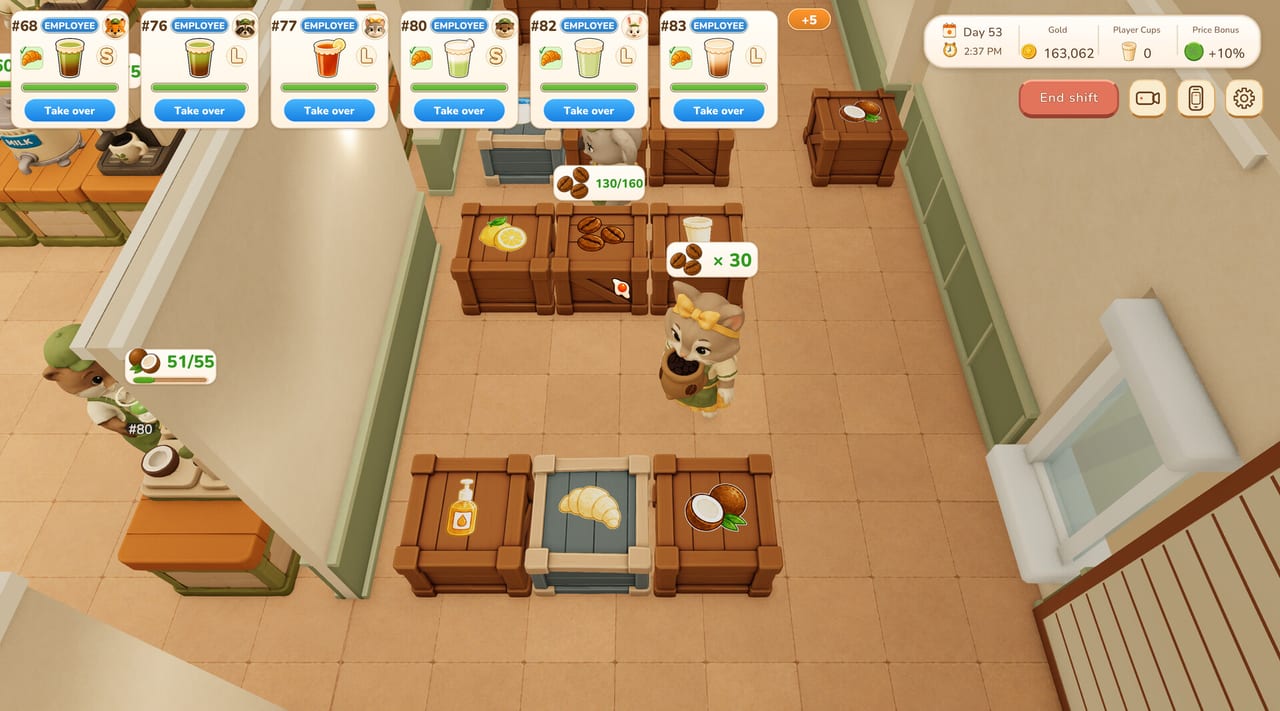
This hub is the planning desk for Tasty Chef. The guides hub teaches a live shift. These tools help you decide before you spend gold, enable every topping, or download the demo onto a machine that cannot hold a 64-bit Windows session. Xpercent Games is targeting a September 2026 Steam window for the full game. Until then, treat the milk tea shop as the only kitchen you can actually time.
Use the pages in this category together. The system requirements page answers whether your PC matches Steam’s min and rec lists. The menu planner answers which drinks and toppings to switch on. The kitchen flow planner answers where cups, brewers, ice, toppings, and crates should sit so a ticket walks in a straight sentence. The gold economy page is the spending order: cups and aisles before Town Bank and cosmetics. Comfort and input covers Camera Comfort, volume, difficulty, Save Anytime, and the partial controller caveat.
What a “tool” is on this wiki
A tool is a checklist you can run in five to fifteen minutes, not a lore dump. If you want ticket steps, open how to play. If you want Build Mode keys, open controls. If you want the long layout manual, open kitchen layout. Come back here when you are about to change a setting that costs gold or patience.
The milk tea demo is enough to use every tool on this hub. You do not need bakery or sushi unlocked. Steam published the demo in September 2026 as a free Milk Tea Shop slice. Some recipes and features stay missing on purpose. Plan around the drinks you can toggle today: Milk Tea, Matcha Milk Tea, Lemon Black Tea, and Coconut Milk.
Suggested order
- System requirements — confirm Windows, RAM, GPU, storage, Steam Cloud, and the Family Sharing caveat before you promise a session.
- Menu planner — enable two drinks, cap toppings, pick ice Off or Custom, then press Practice in that order.
- Kitchen flow planner — draw a milk tea corridor on paper, then a sushi pit for later, then rebuild in Grid (G).
- Gold economy — wages, machine order, Town Bank last.
- Comfort and input — camera, volume, difficulty, pad, language tables.
After those, jump sideways only if a decision needs a second opinion. Drink names and topping lists also live on recipes. Restaurant types and under-construction venues live on restaurants. Staff duties that walk your new aisle live on hiring staff. Launch timing lives on release date.
Decisions these tools are meant to stop
- Buying a laptop “for Tasty Chef” from a Steam Deck listing that still says Unknown.
- Turning on all six toppings and a three-topping cap before anyone has practiced Lemon Black Tea.
- Dropping a tenth Matcha Tea Brewer in a corner that nobody walks.
- Copying a sushi conveyor loop into the tea shop because a store screenshot looked busy.
- Hiring a full Shop Team before the warehouse wall can restock coconut crates.
Each of those mistakes is expensive in gold or in rating. The planners below exist so you change one variable at a time: hardware, menu, then floor.
How to run a planning session
End Shift if a service is live. Open the idle hub. Keep this wiki on a second screen. Work the menu planner first if tickets felt random. Work the kitchen flow planner first if tickets felt slow. Work system requirements first if the build hitching, the Steam overlay stuttering, or a friend is asking whether a pad is enough.
Write one sentence after each tool: “We sell Milk Tea and Matcha only,” or “Ice sits at the pass,” or “This PC is above minimum and below recommended.” Then play five tickets. If the sentence was wrong, edit the shop, not the wiki. Pre-launch builds move; the checklists stay useful as long as milk tea is the front door.
What these pages will not do
They will not invent a price for the full game. Steam has not listed one. They will not claim the full product can be purchased today. They will not promise in-game Spanish for the boxed twelve-language table on the main store page. They will not treat Family Sharing as something you can use on an unreleased title. They will not mark Steam Deck as verified. Official store URLs sit on the Steam links page. If a spec on Steam disagrees with a number here, Steam wins — then tell us through support.
Keep the three tools in the same category
Cross-link them when you share a loadout. A menu that enables Coconut Milk needs a coconut crate on the flow diagram. A flow diagram that puts ice twelve tiles from tea will fail even a two-drink menu. A PC below 4 GB RAM will make both planners feel unfair. Start at this hub, pick the one decision you are actually making tonight, and leave the other two pages closed until that decision is live on the floor.
Frequently Asked Questions
Quick answers for milk tea shifts, staff, and the September 2026 launch.
Do I need the full Tasty Chef game to use these tools?
No. The menu planner and kitchen flow planner are built for the milk tea demo. Specs on system requirements cover the Steam listing for both apps.
Which tool should I open first?
Confirm hardware on system requirements if you have not installed yet. If the demo already runs, start with the menu planner.
Are these in-game calculators?
No. They are wiki checklists you run beside Build Mode and Set Menu. Nothing here injects values into Steam.